Features
AI feature planning, from idea to tasks.
Five steps take one feature from a rough idea to tasks your team can pick up. The AI drafts, your team decides, and every AI step shows its credit cost before you click.
In short
SprintProof is an AI feature planning tool for product and engineering teams. It takes one feature from idea to ready-to-build tasks in five steps: an AI interview, a breakdown into parts, a “Did you think of…?” gap review, an estimate range with 50, 80 and 90% dates, and then tasks and a deck.
Facts you can check
- 153checks in 12 areas, from permissions to rolloutHow the gap review works
- 10,000simulated runs behind every estimateHow estimates work
- 50 · 80 · 90%dates for every plan, never one numberTry the free estimator
- 0 creditsfor editing, comments, blind estimates, sign-off, presenting and exportsPricing and credits
How it works
From feature idea to tasks, in five steps.
Five steps, in the order a plan goes through them, each with its credit cost. Nothing in the plan changes until someone accepts it.
- 01Free
AI interview
The planner asks one question at a time about who the feature is for, what done means and what is out of scope, and suggests answers when you’re unsure. Questions before the first draft are free.
- 0240 cr
Feature breakdown
The planner drafts the work as parts in four lanes: frontend, backend, data and cross-cutting. Each part has best, likely and worst days.
- 0320 cr
Gap review
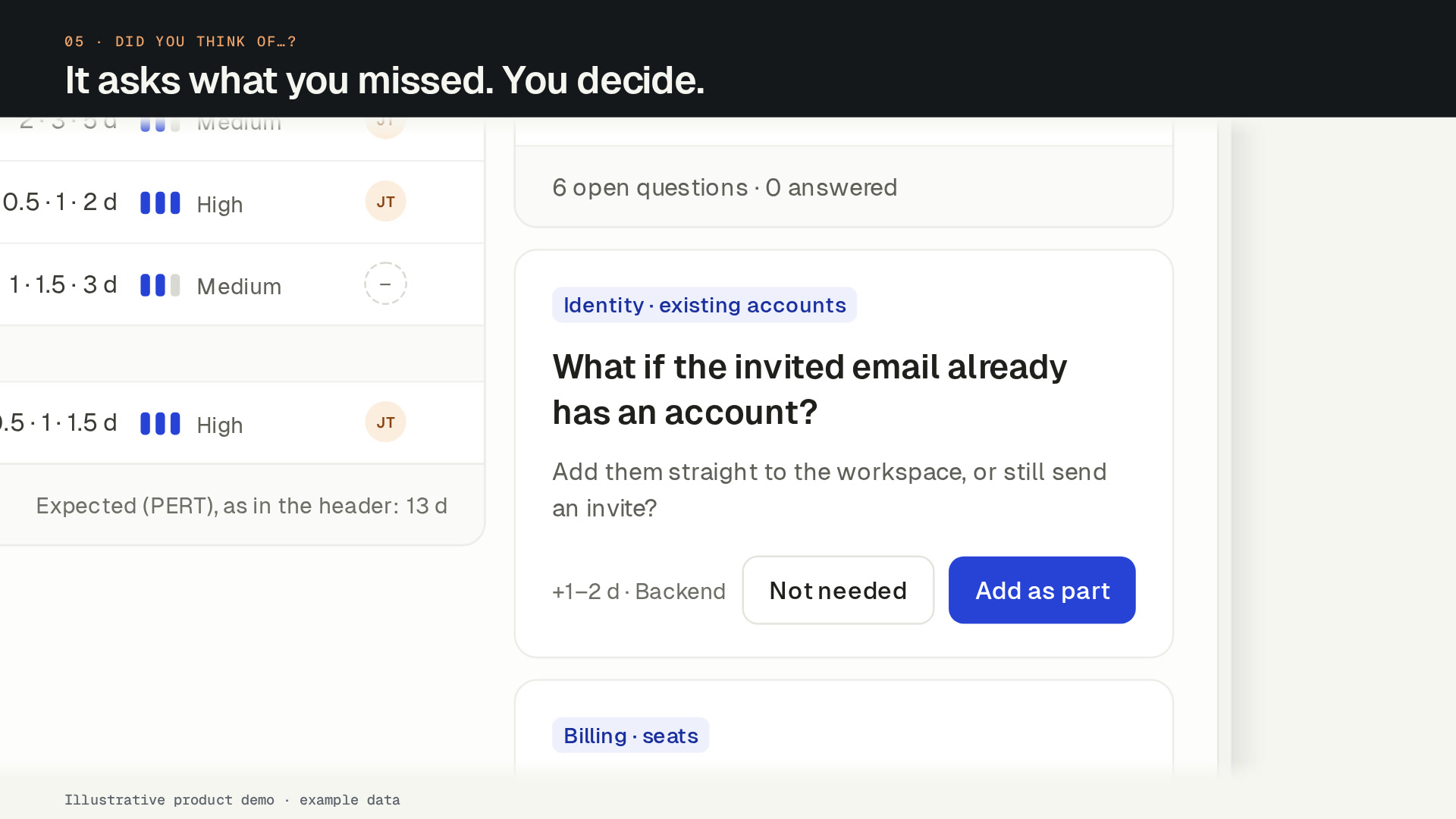
“Did you think of…?” matches the plan against 153 expert checks and asks about work that usually gets missed, such as permissions, migrations or email.
- 04Free
Estimate range
The plan is simulated 10,000 times to give a range and the dates you finish by with 50, 80 and 90% confidence, never one number. Challenging it with the AI costs 10 cr.
- 0525 cr · 15 cr
Tasks and a deck
The parts become tasks with acceptance criteria (25 cr), ready for Jira, Linear or CSV, and the AI writes a deck from the plan to present it (15 cr).
What the AI drafts and what people decide
The AI drafts: the interview questions, the first breakdown, the gap-review questions, proposed splits, the tasks and the deck. People decide: nothing in the plan changes until someone clicks, whether that is Draft now, Add as part on a gap-review question or applying a split.
People edit every part inline, add the parts the planner missed and delete the ones they don’t need. Drafting again replaces only the planner’s own parts; parts people added stay. Asking the planner about a part can suggest a change, but never makes one.
Working as a team: comments, blind estimates and sign-off
Engineers comment on parts and the team discusses them on the plan. Blind estimate rounds reveal every vote at once, with the spread and the outlier, so the loudest voice doesn’t set the number. Reviewers then approve the plan or request changes, and the sign-off goes into the deck.
What costs credits and what never does
Credits pay only for AI work. A failed AI action gives its credits back.
- Uses credits: drafting the plan (40 cr), a gap review (20 cr), drafting tasks (25 cr), building the deck (15 cr), challenging an estimate (10 cr), proposing a split (5 cr) and asking the planner (2 cr).
- Never uses credits: the interview before the first draft, editing, comments, blind estimates, the estimate and its dates, sign-off, presenting, exports and sending tasks to a tracker.
Where the tasks go: Jira, Linear or CSV
Tasks go to Jira Cloud or Linear as issues, with their acceptance criteria, estimate range, type and dependencies, or download as CSV for any other tool. Sending is one way: sending again updates the issues SprintProof created, and status changes in the tracker don’t come back into the plan. Each sent task shows its issue key and last status. See integrations.
Who it’s for: product managers and engineering leads
Product managers use it to turn an idea into a plan engineers can review, with a range and a deck to present. Engineering leads use it to check the plan for missing work, estimate it blind as a team and see the riskiest parts before the sprint starts.
FAQ
Common questions
What is an AI feature planning tool?
Does the AI change my plan on its own?
How is the estimate worked out?
What does the gap review check?
Which trackers can I send tasks to?
Is there a free plan?
Team
Plan the next feature before the sprint starts.
Create your account and name your workspace. Your first feature plan is free. To keep planning, subscribe to Team: the 14-day money-back guarantee applies.
Want to hear when the ChatGPT and Codex plugin ships? Leave your email.