Feature · Gap review
Find the missing work before the sprint does.
“Did you think of…?” checks your plan against 153 checks written by engineers who have built these features before, and asks about what is missing. You decide what goes in.
In short
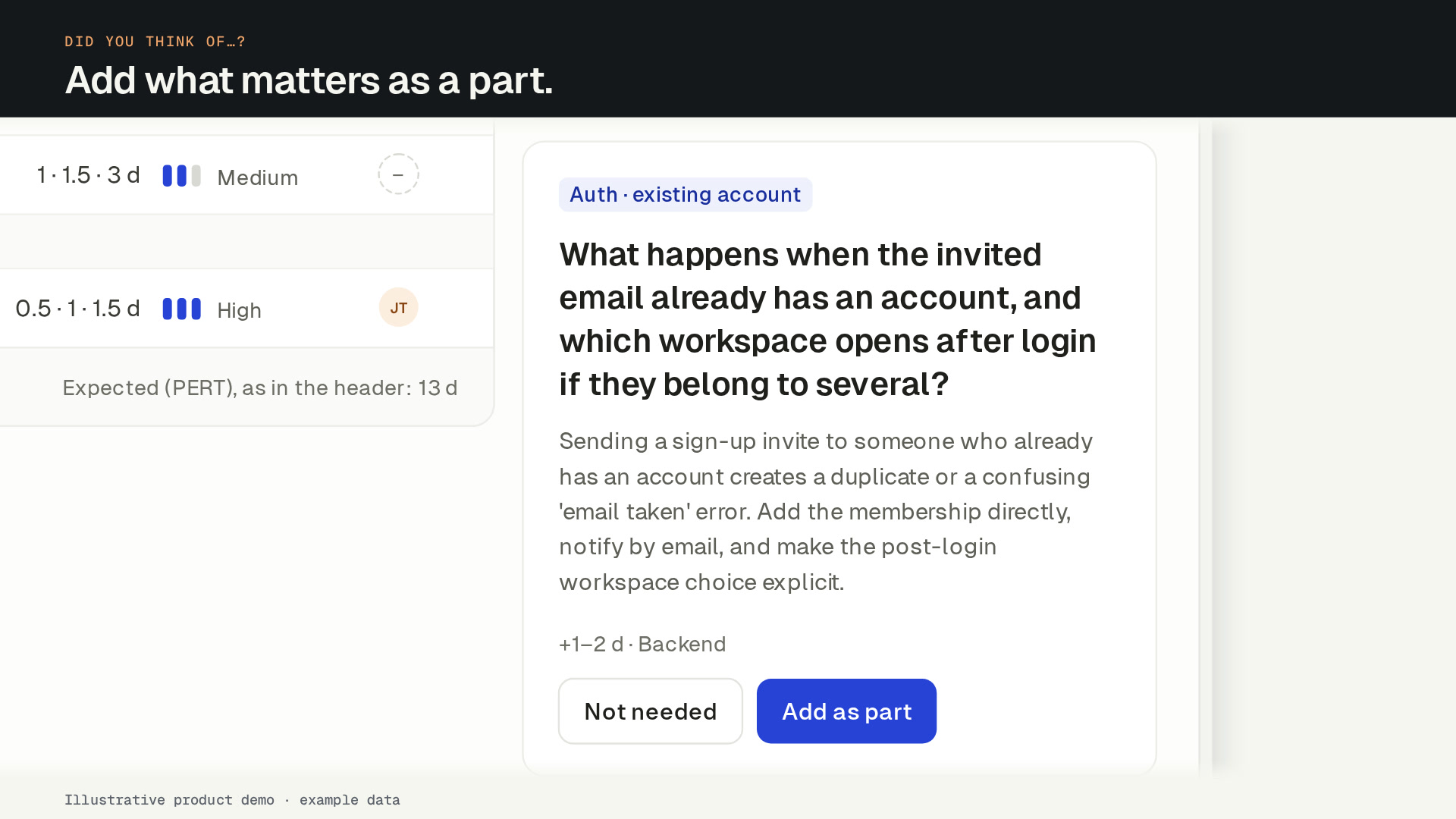
SprintProof’s “Did you think of…?” gap review checks a feature plan against 153 expert checks in 12 areas, such as permissions, migrations, email and billing. It asks up to 8 open questions, each saying why it matters and what it usually adds. You add the answer as a part or mark it not needed. A run costs 20 credits.
Facts you can check
- 153checks in 12 areas, from permissions to rolloutRead the planning checklist
- Up to 8open questions per run, the most important first
- 20 crper run, charged only if the review succeedsPricing and credits
- 0 creditsto answer a question, undo an answer or browse the library
What you get
The questions a senior engineer would ask.
153 checks in 12 areas
Auth and permissions, APIs, data and migrations, frontend states, security, email and notifications, billing and plans, observability, accessibility, localization, performance, rollout and flags.
Why, not just what
Every question says why it matters, such as “anything that emails an address a user typed can be used to send spam from your domain”.
The size of the answer
Each question shows the part it usually becomes, with a range of days and a lane, for example +1–3 d · Backend.
Only what applies
Checks are matched to the plan by keywords and by meaning, and the AI rules out the ones the plan already covers.
Your team’s own checks
Admins add, edit and retire the team’s own checks next to the library, so last quarter’s incident becomes next quarter’s question.
Counted in the estimate
Work added from the review shows up in the estimate on its own line, as “found in review”.
How it works
Run it, read it, decide.
Every AI step shows its credit cost before you click, and nothing in the plan changes until someone accepts it.
- 01
Run the review.
20 crOn a drafted plan, click Did you think of…?. It reads the title, the brief, “Done when”, the parts and the interview, and matches them against the library.
- 02
Read the open questions.
Up to 8, the most important first. Each says why it matters and what it usually adds, for example +1–3 d · Backend.
- 03
Add it, or mark it not needed.
Add as part puts the work into the plan, tagged “Added from review”, with its own estimate. Not needed dismisses the question. Both can be undone.
- 04
Watch coverage grow.
A coverage bar shows how much of the review is covered or answered. Run it again after big changes (20 cr); answered questions stay answered.
Why plans miss work
Most slipped dates come from work nobody wrote down: what happens to existing accounts, what a seat limit does to invites, what to do when an email bounces. Experienced engineers ask these questions out of habit. The gap review asks them every time, before the estimate is made.
How checks are matched
Every check in the library has a trigger, such as “the feature sends email to an address a user typed”, the question, why it matters, and the part it usually becomes. The review scores each check against the plan by its keywords and by meaning. The AI then reads the best candidates and drops those the plan already covers or that don’t apply.
Checks are marked must, should or consider. That sets the order you see them in.
The check library
Anyone in the workspace can browse the library by area and read each check in full. Library checks are read-only. Your team’s own checks sit next to them and are matched the same way. The planning checklist shows the kind of questions the library asks.
FAQ
Gap review: common questions
What does the gap review check?
How many questions will I get?
Does the review change my plan?
Can we add our own checks?
What does a gap review cost?
Team
Plan the next feature before the sprint starts.
Create your account and name your workspace. Your first feature plan is free. To keep planning, subscribe to Team: the 14-day money-back guarantee applies.
Want to hear when the ChatGPT and Codex plugin ships? Leave your email.