Use case · Engineering leads
Estimate the whole feature, not just the obvious part.
Review the plan before you commit to it, find the work nobody wrote down, and give a range your team agrees with, estimated blind so nobody anchors on the loudest number.
In short
Engineering leads use SprintProof to review a plan before the sprint. Each part has best, likely and worst days. The gap review asks about work that usually gets missed. Blind estimates keep the loudest voice from setting the number. The estimate shows 50, 80 and 90% dates and the riskiest parts, then tasks with acceptance criteria go to your tracker.
Facts you can check
- 153checks in 12 areas, from auth and permissions to rollout and flagsHow the gap review works
- 0 creditsfor blind estimate rounds, comments, sign-off and the estimate
- Up to 12people per blind round, on up to 20 partsTry free planning poker
- 10,000simulated runs behind the 50, 80 and 90% datesHow estimates work
What you get
A plan you have checked, a range your team agrees with.
Three numbers per part
Best, likely and worst days for every part, so the uncertainty is in the plan, not in someone’s head.
The missed work, asked about
Existing accounts, migrations, empty and error states, rate limits, observability, accessibility.
Votes nobody anchors
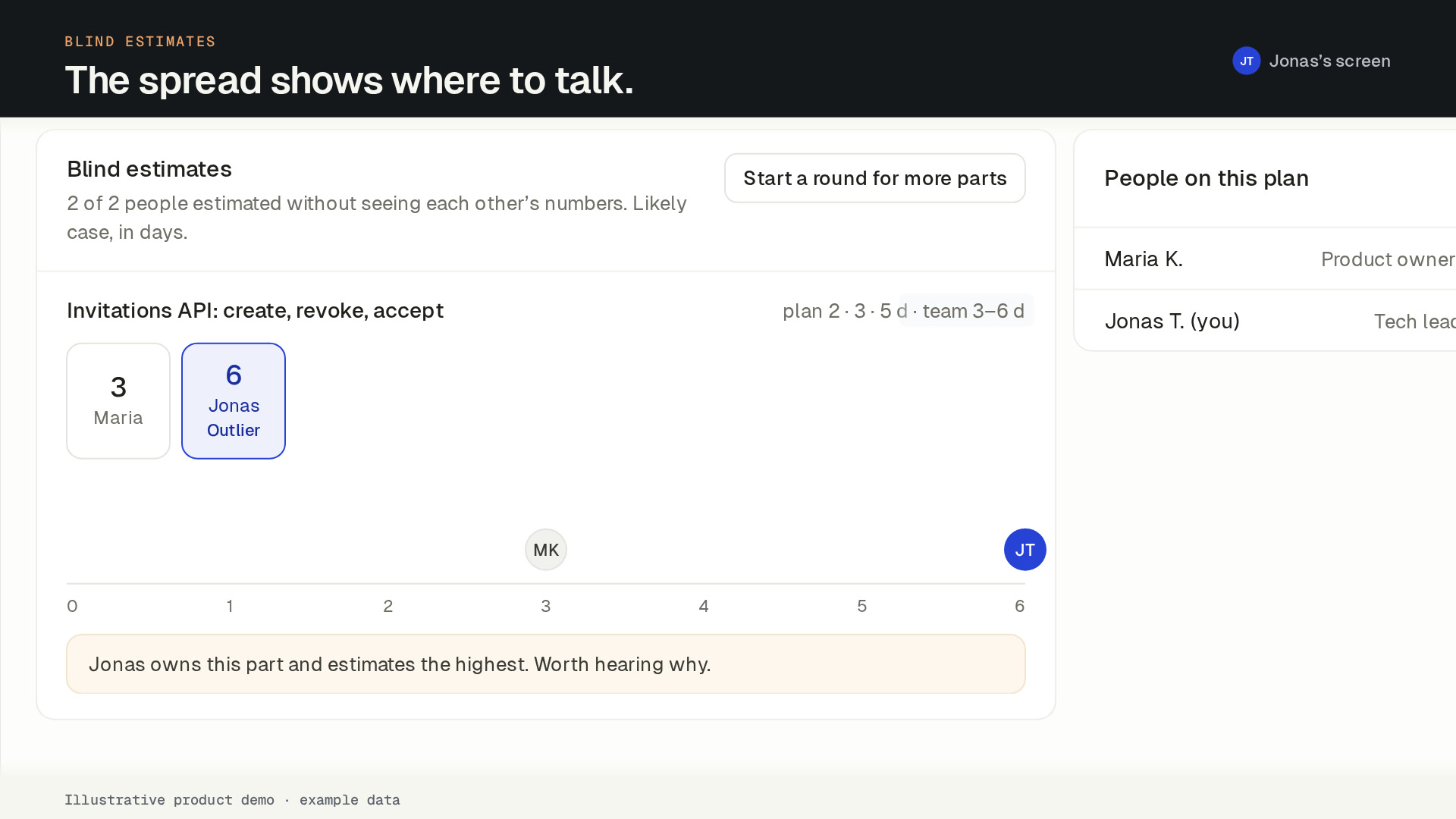
Blind estimate rounds reveal every vote at once, with the spread and the outlier. A wide spread means someone knows something.
The riskiest parts named
The estimate lists the parts with the widest spread, so you know what to split or spike first.
A second opinion on the estimate
Challenge the estimate (10 cr) and the AI proposes a spike, a decision to make or a part to split. You apply what you agree with.
Tasks with acceptance criteria
Keys, criteria, dependencies and an order of work, ready for the sprint.
How it works
From a draft plan to tasks, in five steps.
Every AI step shows its credit cost before you click, and nothing in the plan changes until someone accepts it.
- 01
Open the draft plan.
The PM’s idea arrives as a breakdown in four lanes: Frontend, Backend, Data and Cross-cutting. Edit, add or delete parts for free, or have the planner propose a split (5 cr).
- 02
Run the gap review.
20 crThe “Did you think of…?” review checks the plan against 153 checks in 12 areas, from auth and permissions to rollout and flags. Each open question says what it usually adds.
- 03
Estimate blind.
Start an estimate round. Everyone votes privately, then the votes are revealed together with the spread, the median and the outlier. Rounds never use credits.
- 04
Read the range.
The estimate shows 50, 80 and 90% dates for your team size and start date, and which parts carry the most uncertainty. Challenge it with the AI if it looks off (10 cr).
- 05
Hand off tasks.
25 crDraft tasks with acceptance criteria and dependencies, then send them to Jira or Linear, or download a CSV.
Why ranges, not one number
One number hides how sure you are. SprintProof simulates the plan 10,000 times over each part’s best, likely and worst days and reports the dates you reach with 50, 80 and 90% confidence. A part with a wide spread moves the 90% date more than the 50% one, and the estimate shows which parts those are.
The numbers come from the estimate engine, not from the AI. When you challenge the estimate, the AI explains the uncertainty and proposes fixes; the dates are recalculated from the parts.
Review where the plan lives
Comment on a part with threads and @mentions. Ask the AI about a part (2 cr) and apply its answer only if it is right. When the plan is ready, the PM requests sign-off from named people, and each approves or requests changes with a note.
The AI suggests and people accept: nothing in the plan changes without a click.
From ChatGPT and Codex too
A SprintProof plugin for ChatGPT and Codex is coming soon. It will read and edit plans, work tasks and log time from where you code, using the same credits as the web app.
FAQ
Engineering leads: common questions
How does SprintProof calculate the dates?
Do blind estimates cost credits?
Does the estimate learn from how long tasks really took?
Can we add our own checks to the gap review?
Team
Plan the next feature before the sprint starts.
Create your account and name your workspace. Your first feature plan is free. To keep planning, subscribe to Team: the 14-day money-back guarantee applies.
Want to hear when the ChatGPT and Codex plugin ships? Leave your email.